

The necessity to edit pictures quickly has never been as high in the dynamic digital world. Businesses involved in eCommerce, marketplaces and online campaigns need a large quantity of high-quality visuals which must be delivered quickly. Teams may be overwhelmed and stall campaigns by manually processing hundreds or even thousands of product images. The traditional methods of editing often involve repetitive actions such as removing the background, changing the lighting, and maintaining visual consistency. Fortunately, there are new technologies that have revolutionized large image processes. An AI background generator allows you to automate these processes, dramatically reducing manual effort while maintaining professional results. The use of apps like Pippit simplifies the process of carrying out the massive visual editing to ensure that you can focus on scaling the marketing operations without diminishing the quality or brand consistency.

The Bottleneck of High-Volume Image Editing
Workflow can be a significant bottleneck when dealing with large volumes of images to be manually edited. Removals by hand or rudimentary tools can be costly in time, especially in cases where hundreds of product photos will have to be removed. Errors in human hands are sure to occur, hence discrepancies in framing, lighting, and shadows are encountered to the detriment of the brand presentation. Slow image processing delays marketing campaigns, product launching and season promotion. Markets where visual attractiveness has a direct impact on conversion may lose their competitive edge and expansion of stalls because of the delay in editing. Manual editing in a business that is struggling to establish a presence in the online arena makes the business inefficient, and the operations are costly to scale.
How AI Background Generation Accelerates Image Processing
AI-driven background tools do not need manual editing that is so time-consuming. Subject detection: Automated subject detection assists in identifying the key object in each picture and automatically removes the background to give a clean canvas that can be customized. You can even run multiple images simultaneously and still be able to generate the same results on other products. Even hard objects, including transparent materials, complicated edges, or reflective surfaces, require complicated algorithms of AI to be accurate. This automation allows large catalogs to be updated within a short time and at high quality and frees the resources to strategic marketing activities. Use of such AI-based tools also reduces the reliance on different editing software and makes the workflows one and effective platform.
Maintaining Visual Consistency at Scale
Brand identity relies on image presentation consistency. Harmony of backgrounds in all product listings, catalogues, and promotion material makes it sound professional and increases recognition. Pippit also has presets allowing you to standardize branding e.g. solid-colored backdrops, gradient or textured designs. The AI will be able to ensure consistency in lighting, shadows, and framing of all images, reducing the aesthetic distortions. This is particularly applicable to eCommerce websites where the constant image of the product will enhance customer confidence and shopping experience. By automating these processes Pippit can maintain a professional-level aesthetic even in large-scale projects without additional refinement.
Steps to Edit high-volume images faster using an AI background generator
Step 1: Bulk image intake for quick processing
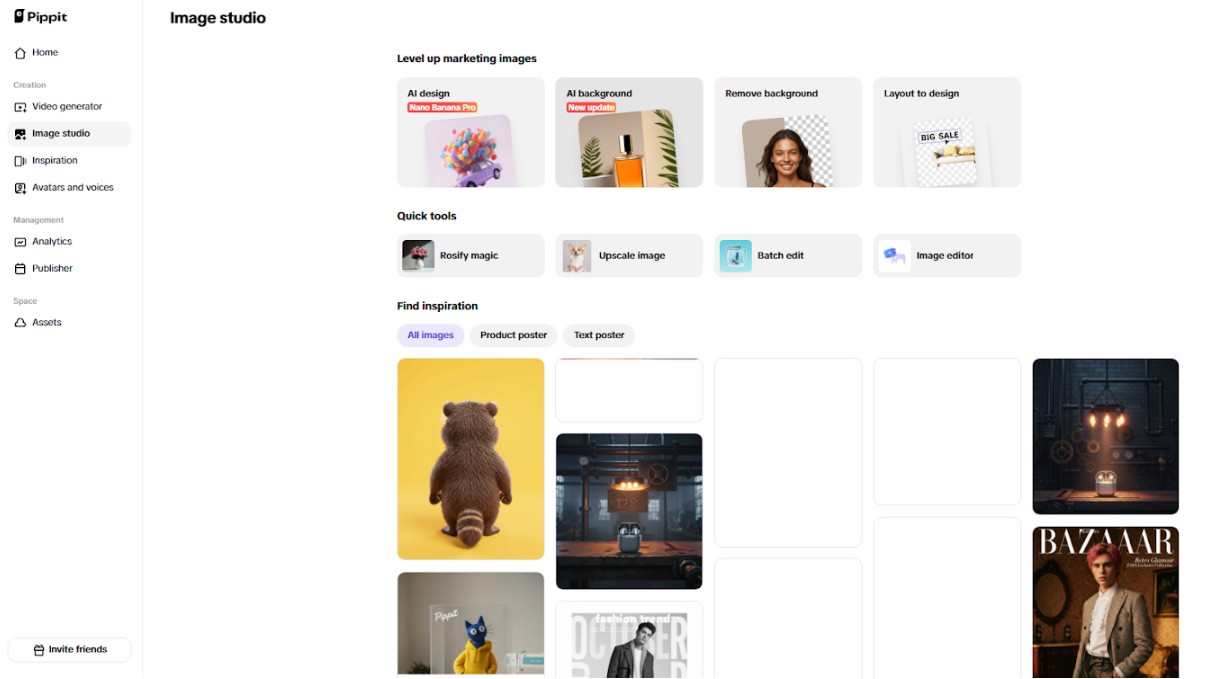
To begin, sign up for the Pippit AI generator background and open “Image Studio” from the left sidebar. Choose “AI Background” under “Level up marketing images. Drag and drop multiple product images at once, or click “Device” to upload them directly from your PC. If images are not ready yet, you can use the provided sample photos to keep your workflow moving without delays.

Step 2: Rapid background replacement at scale
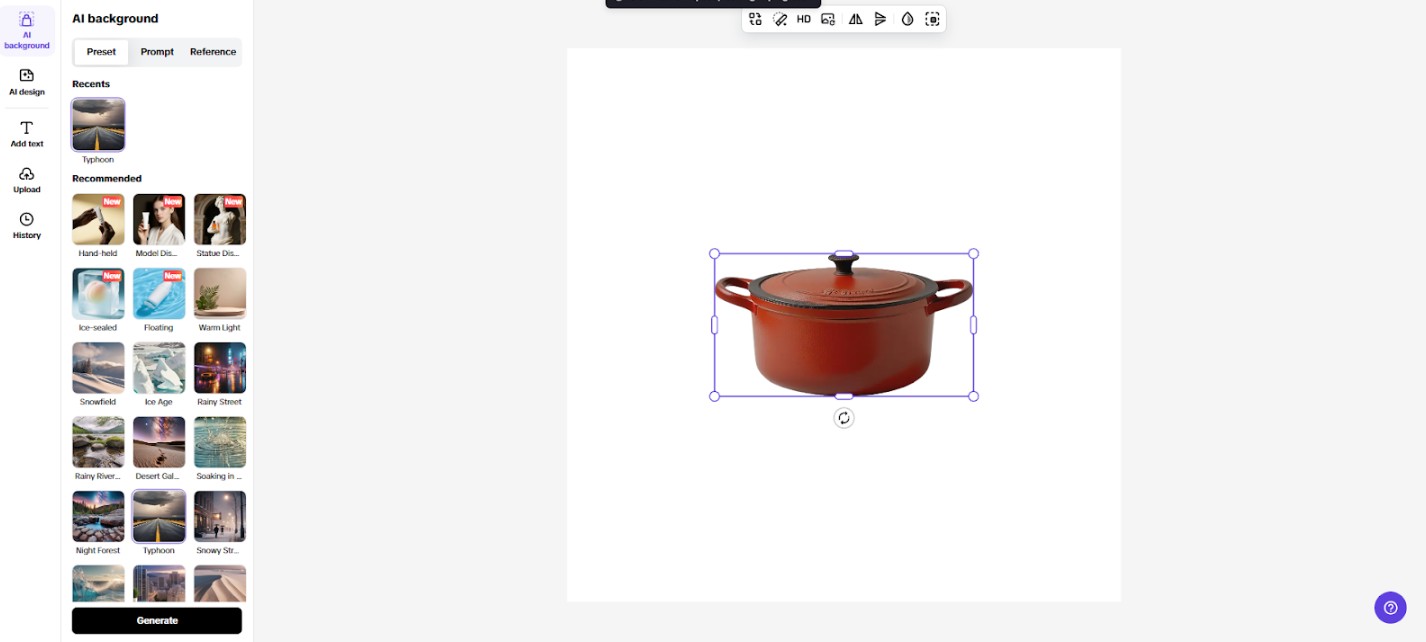
Once uploaded, the AI Background tool instantly removes the original backdrop from every image. Head to “Preset” to pick ready-made backgrounds, use “Reference” to upload a custom one, or select “Prompt” to generate a new background using AI. After choosing a background, click the “Generate” tab to receive four background variations. Pick the one that fits best. You can also apply “AI design” for promotional layouts or use “Add Text” to place captions across multiple images quickly.
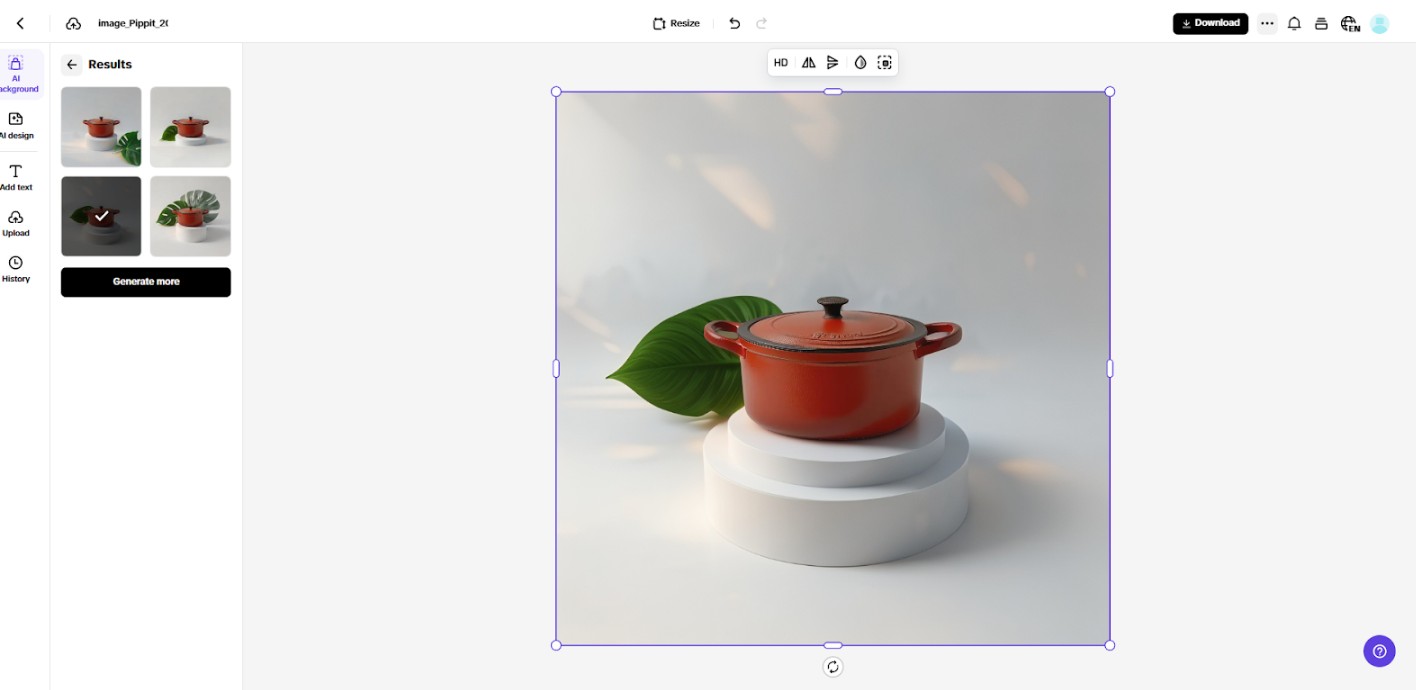
Step 3: Fast exporting for large image batches
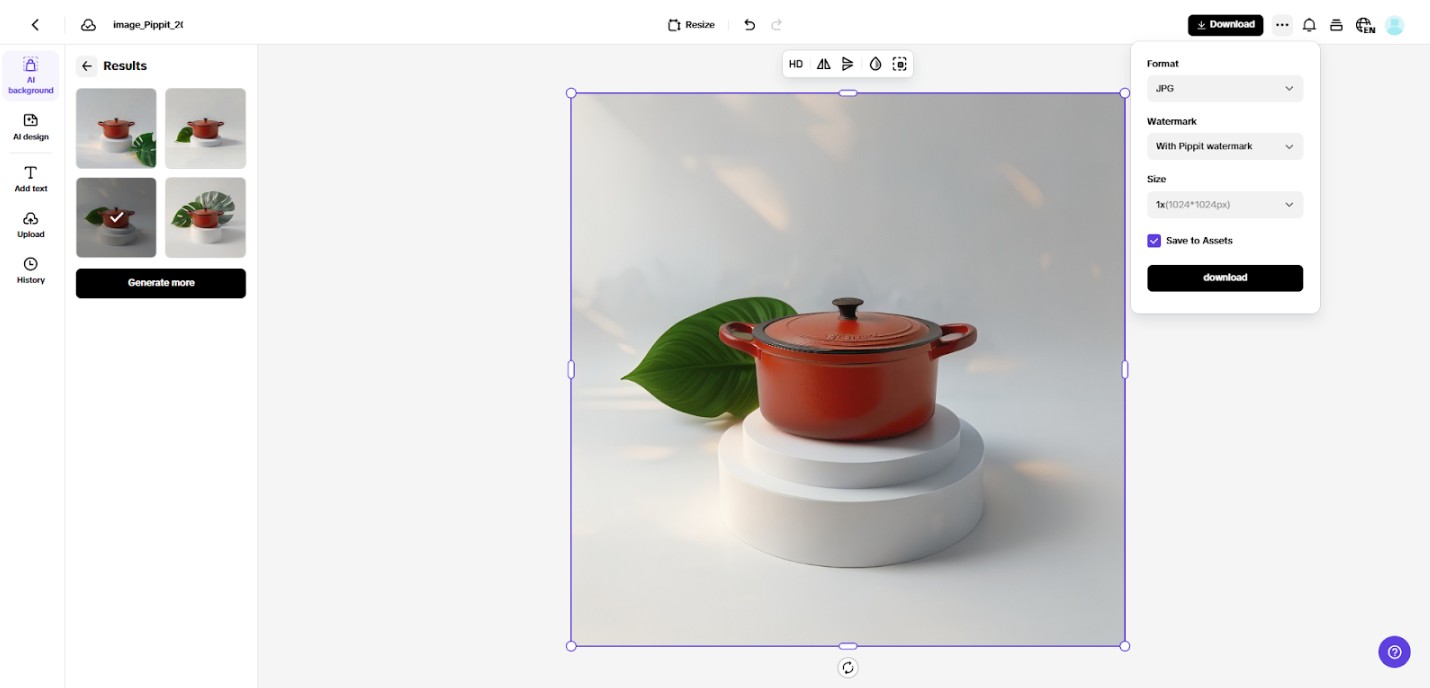
When editing is complete, click “Download” in the top-right corner of the editor. Select your preferred file format and image size, then click “Download” again to save everything to your device. You may choose to export images with or without a watermark, depending on your needs.
Reducing Editing Costs with Automation
Automation makes editing very cheap since redundant work is eliminated. The manual background removal and resizing option also gets replaced by AI, which typically implies a variety of tools and a significant amount of human work. With the centralization of these processes within Pippit, time and costs are saved and the outcomes are quality. The time saved can be used by teams to develop strategies, marketing campaigns, and get products developed rather than make unnecessary edits. High-volume image editing is scalable and very cost-effective in the sense that the businesses will be able to lower the cost of running the business without compromising the quality of the output. Platforms offering afree AI video editor complement this process, enabling simultaneous handling of promotional videos and images without relying on separate software.
Optimizing Image Output for Multiple Platforms
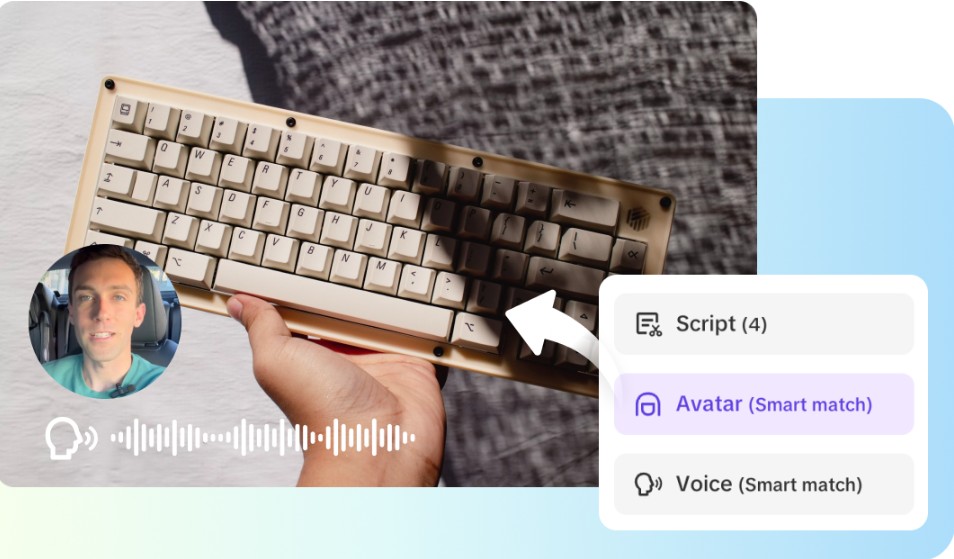
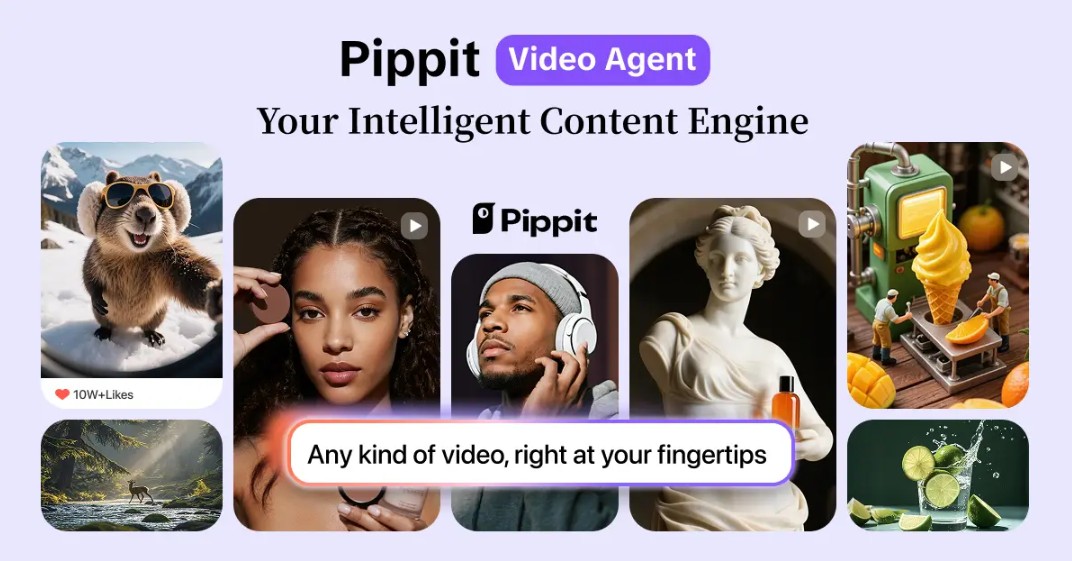
The visual requirements on various platforms are not similar, and the process of converting images to be used in Amazon, Shopify, or social media may be tedious. This is simplified by Pippit by allowing quick re-export with changes of dimensions, aspect ratios and resolution. AI also ensures that consistency in backgrounds, shadows, and lighting is present across formats. By automating platform-specific adjustments, you do not have to go to the trouble of re-editing each picture separately. The strategy creates platform-ready professional images in an efficient way, such that listing, catalog, and campaigns are simplified to be optimal. Pippit’s AI also integrates with other content creation tools, functioning as a video agent for seamless multimedia editing across marketing channels.
Scaling Marketing Operations with Pippit
Seasonal launches, promotions, and rapid catalog development require heavy image editing. Pippit shortens the turnaround time and enables companies to update images quickly, to professional standards. The system promotes large-scale operation because it is able to handle hundreds or thousands of images without slowing down the workflow. New campaigns can be adapted to make sure that images are constantly updated and in line with branding. Pippit allows teams to deliver consistency and speed with precision and scalability, thus allowing the team to expand into competitive digital marketplaces.
Conclusion
Using AI background generators transforms the approach to high-volume image editing. Automation speed ups operations, saves money and offers visual consistency of big product catalogs. Pippit provides a one-stop shop to organizations that would prefer to have scalable and quality image editing without necessarily having to do it manually. The tool is effective in solving the issue of rapid content creation with instant background removal, customisable presets and platform-specific exports. Through the assistance of AI-powered solutions, the companies would have the possibility to meet the growing visual content requirements and maintain brand integrity so that the campaigns are not only timely but also professional and efficient. The future of scalable visual content creation lies in the intelligent platforms like Pippit, where speed, accuracy, and creativity converge.